

See Your Entire Practice in One Glance
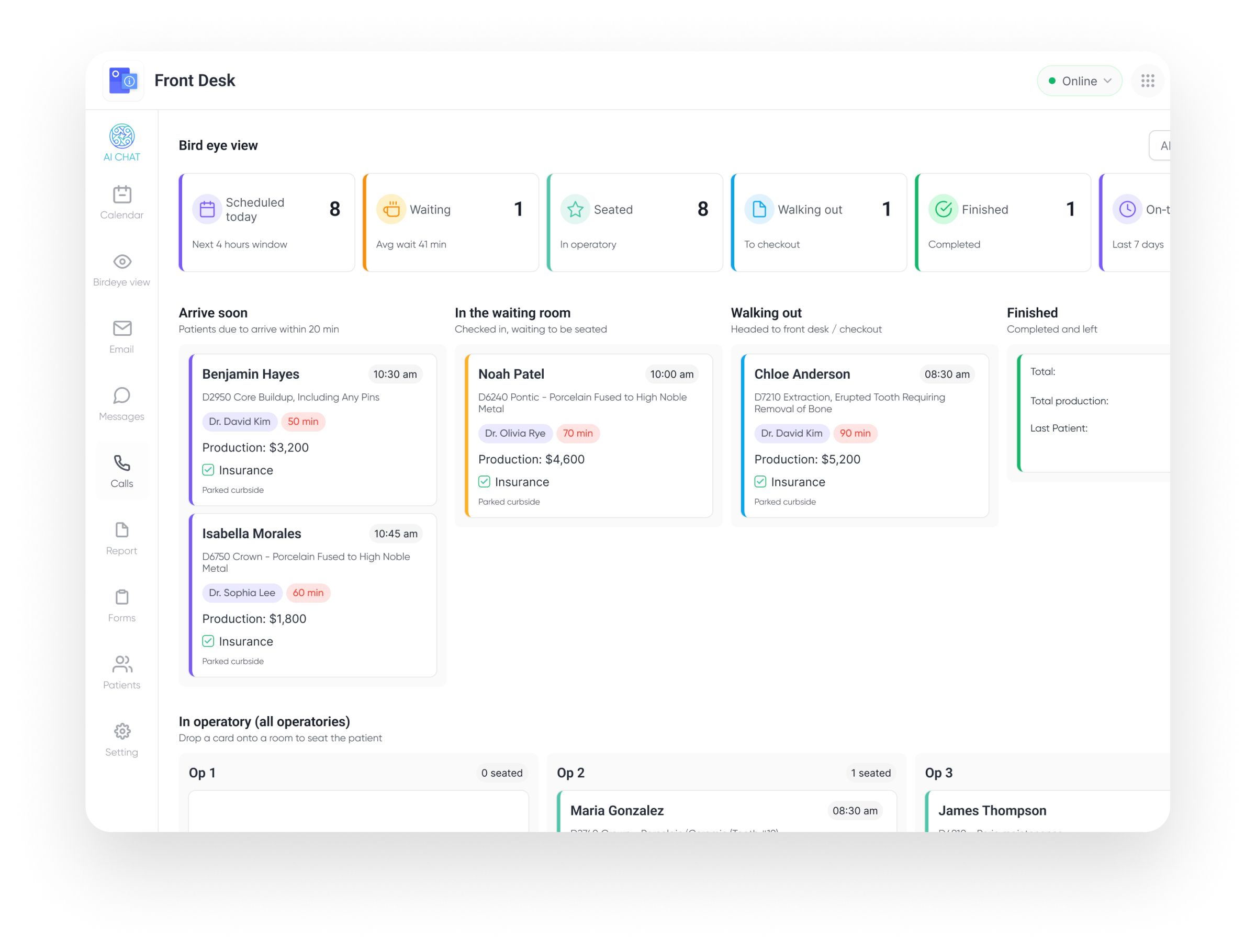
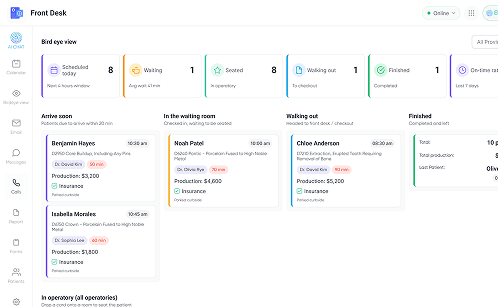
Stop running your day from a static calendar. Elva's Bird Eye View is a live, real-time dashboard that tracks every patient's journey, from "Arrive Soon" to "Finished." See your wait times, manage patient flow, and get a 30,000-foot view of your entire operation, all on one screen.



Reduce Wait Times
Spot bottlenecks instantly and seat patients faster.

Silent Handoffs
Drag-and-drop patients to notify the back office instantly.

Live Production
See daily revenue goals vs actuals at a glance.

TV Mode
Cast to your breakroom screen to keep the whole team aligned.
A Live Kanban Board for Your Clinic Flow
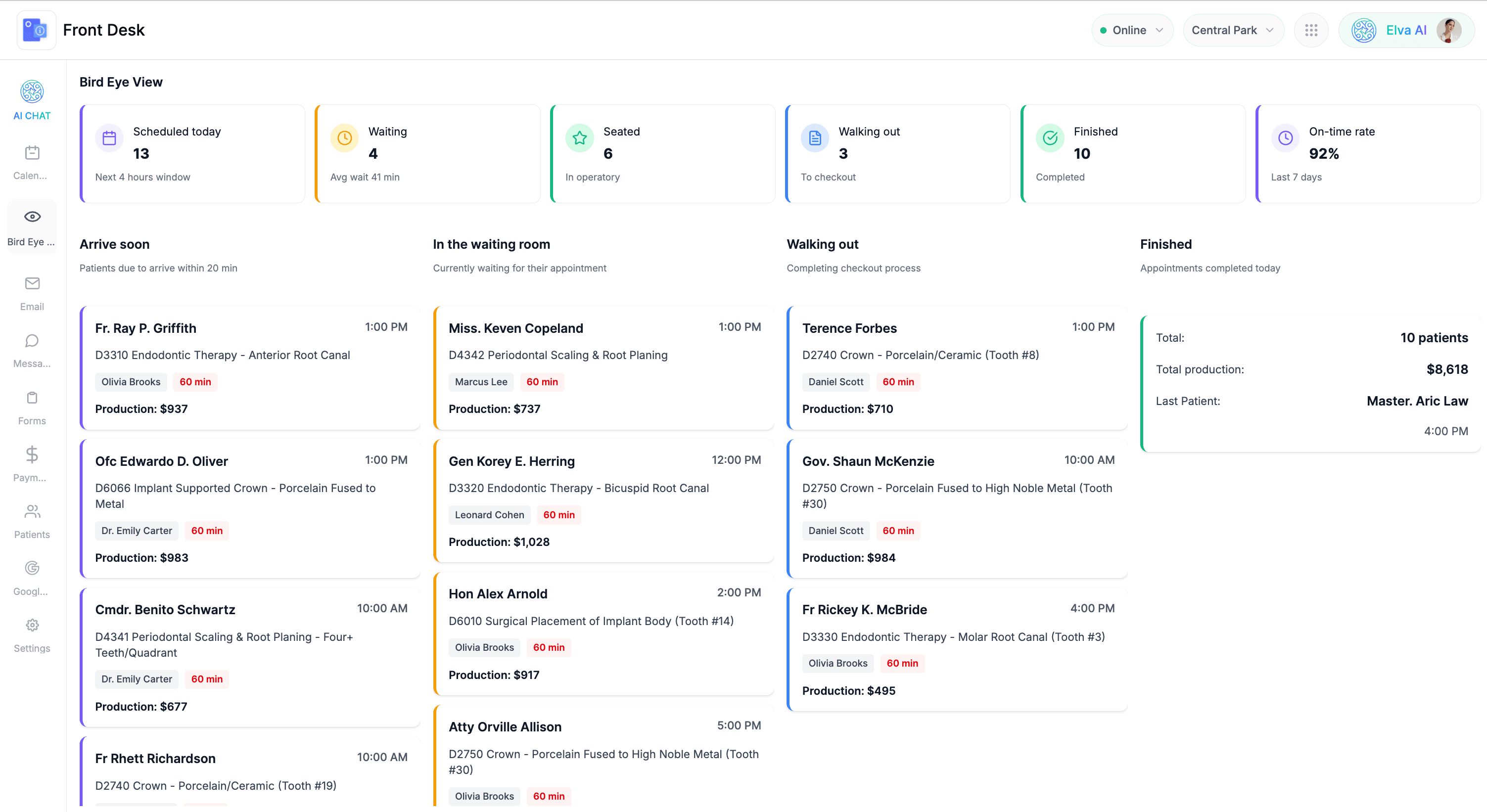
Standard schedulers show when patients are supposed to be there, but they don't show where they actually are. Elva transforms your schedule into a dynamic "Air Traffic Control" board. You watch patient cards move in real-time from "Arrive Soon" to "Waiting Room," "In Chair," and "Check Out." It eliminates the guessing game, allowing your front desk and clinical team to see the exact status of the entire practice without ever leaving their seats.
Spot and Fix Bottlenecks Before They Hurt
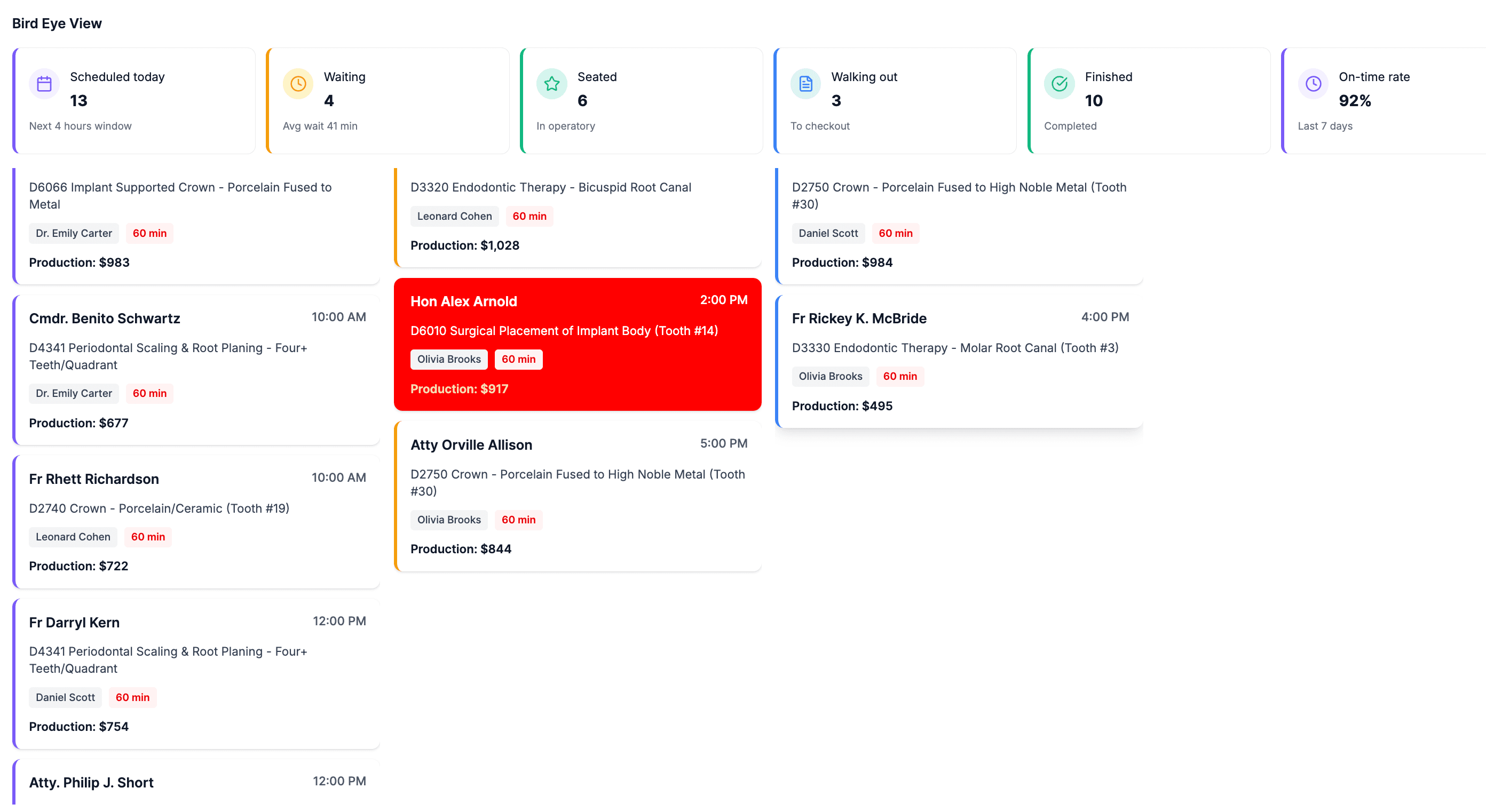
A 20-minute wait ruins the patient experience. Elva tracks "Time in Status" for every patient. If a room sits empty too long or a patient has been waiting over 15 minutes, the card turns red to alert you. This visual feedback loop lets you spot traffic jams instantly, like a hygienist running behind or a front desk backup, so you can jump in, reallocate resources, and get the flow moving again before patients get frustrated.
Where Is the Patient? Answered in One Second
Eliminate the chaos of shouting down hallways or checking five different rooms. One look at the screen tells you exactly who is where, who is waiting, and who is next.
Tools That Keep You on Time
Elva gives you the operational tools to manage patient flow effortlessly, keeping your team connected and your revenue goals in sight.
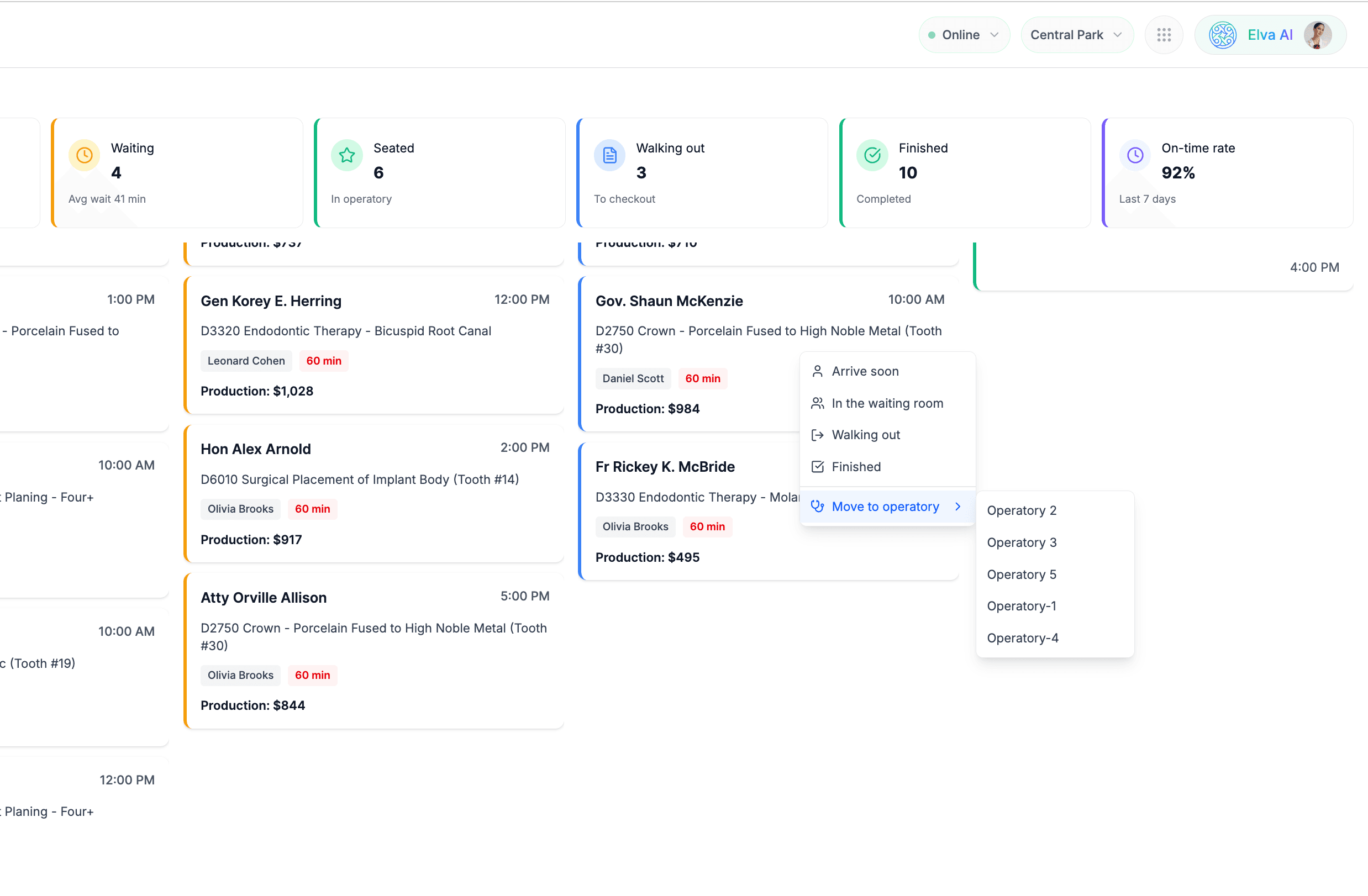

Silent Drag-and-Drop Handoffs
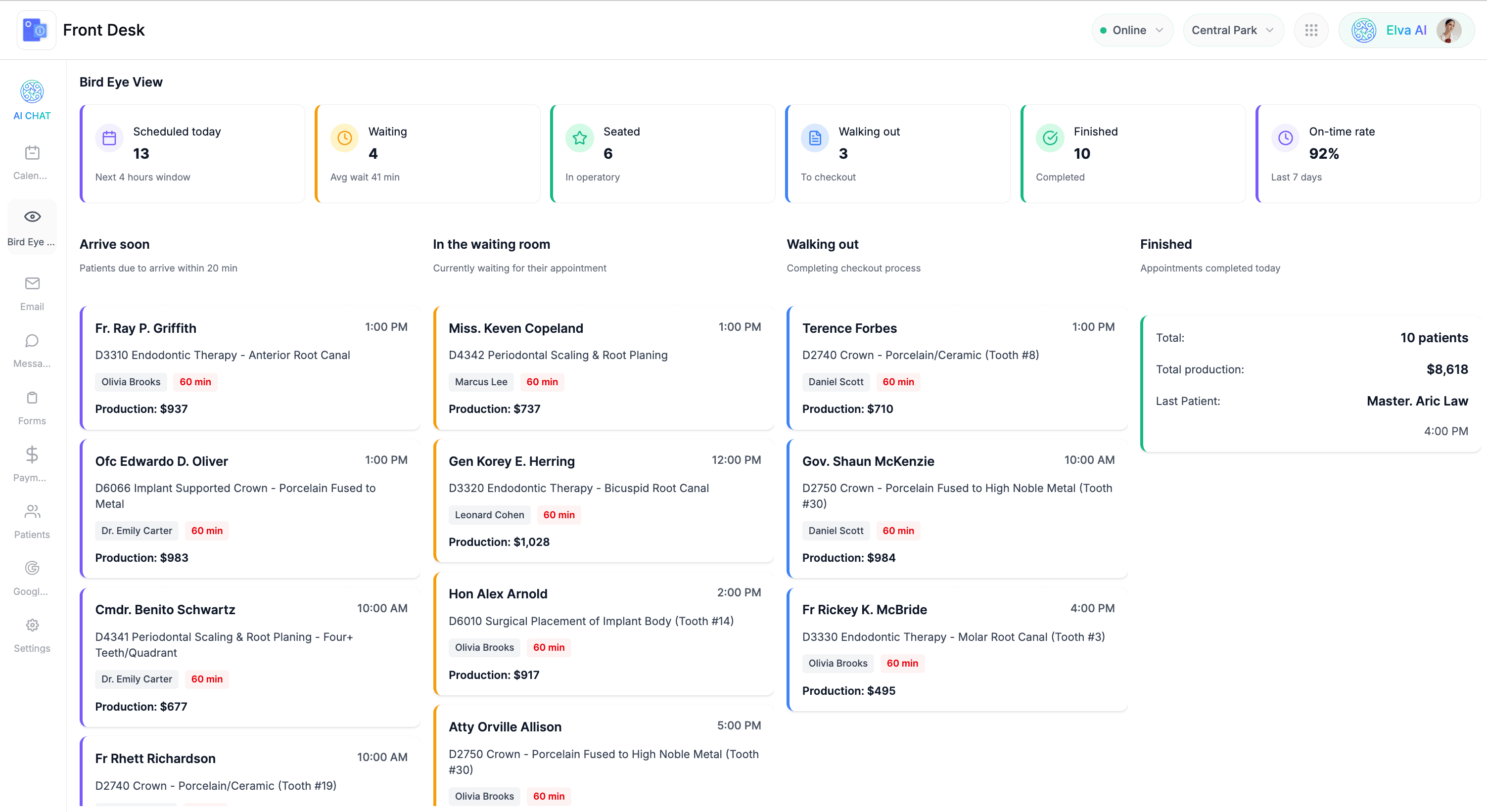
See the Problem Before They Arrive
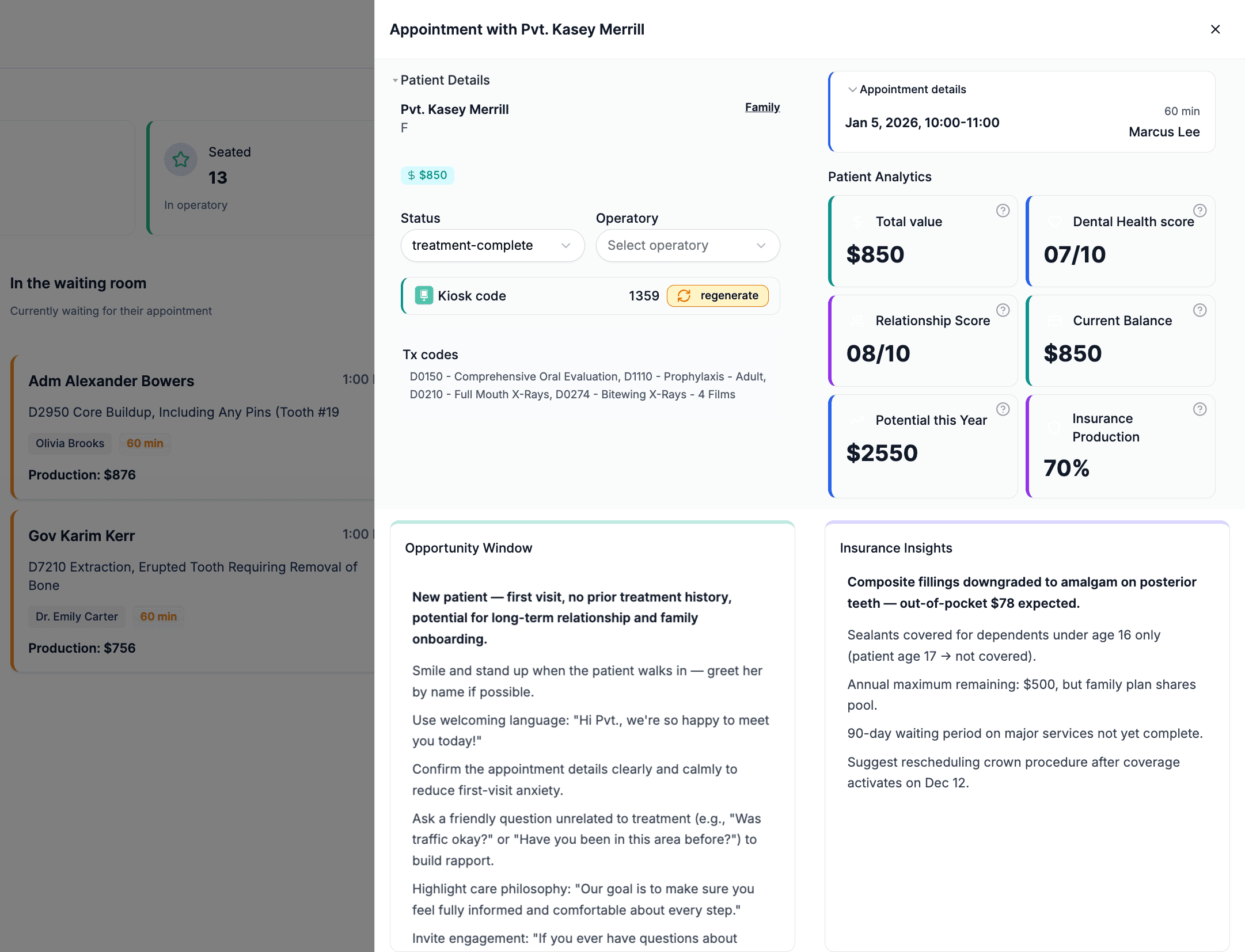
Verify Insurance Status Instantly
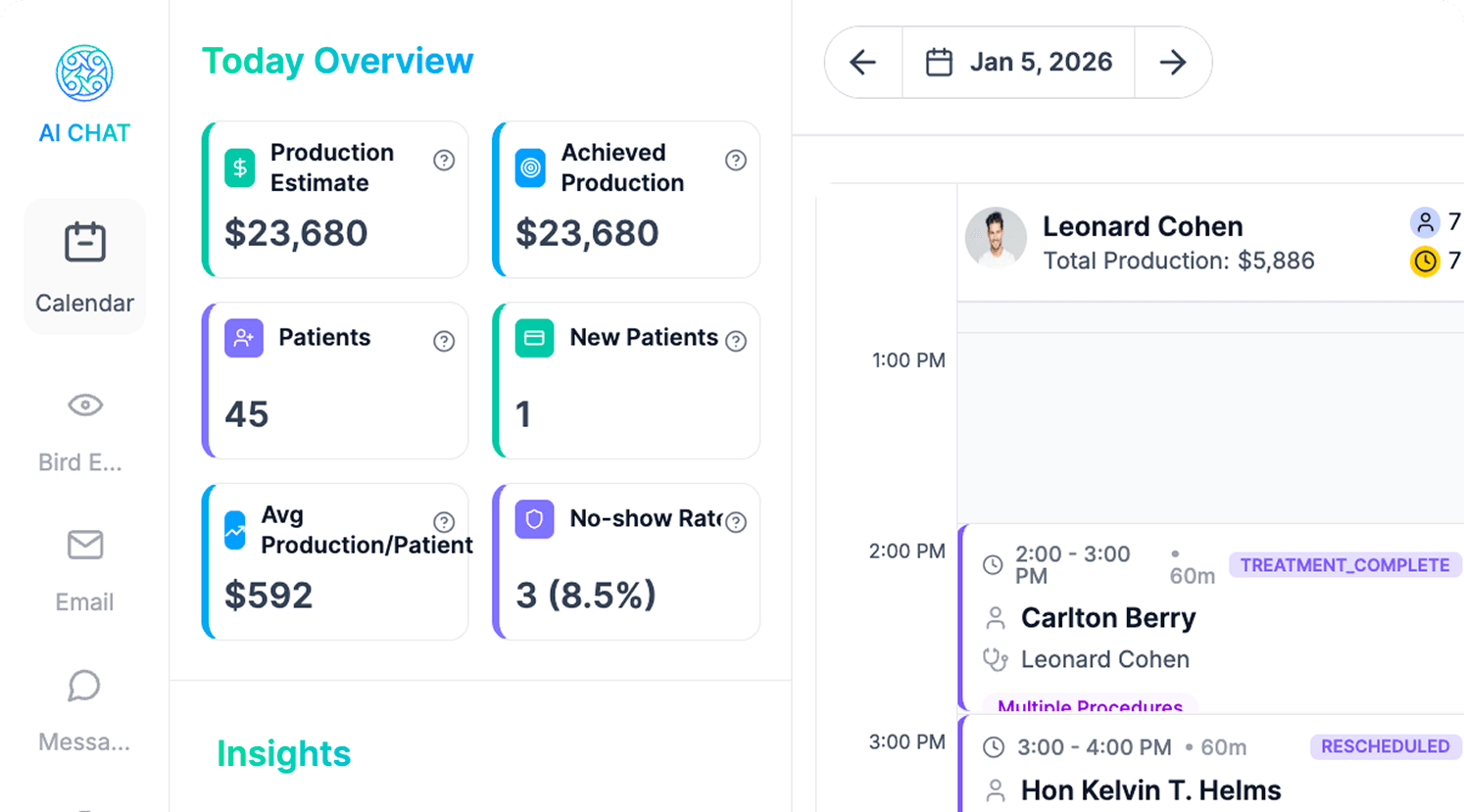
Keep Your Production Goals Visible
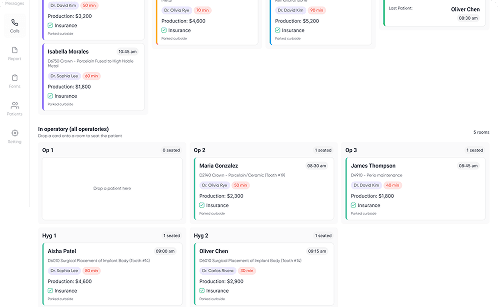
Visual Alerts for Immediate Action
Synced Live to Your PMS
Flexible Control Features
Customizable options that allow you to tailor the dashboard to your specific office workflow and privacy needs.

Filter Views for Each Provider
Doctors see their columns; hygienists see theirs. Filter the board so staff see only what they need.

Prep with the "Arriving Soon" Queue
A dedicated column shows who is arriving in the next 30 minutes, giving you time to prep rooms.

Secure Patient Privacy Mode
Toggle "Privacy Mode" to hide names on public-facing screens, keeping you HIPAA compliant.

Patient Details in One Click
Click a card to see the patient's photo, age, and key clinical alerts without opening the full chart.
Ready to Eliminate the Chaos?
Get the "Air Traffic Control" view that keeps your practice running on time, every time.
Schedule a Demo